01 / TERMINAL SESSIONS
Reach the device. Even the old one.
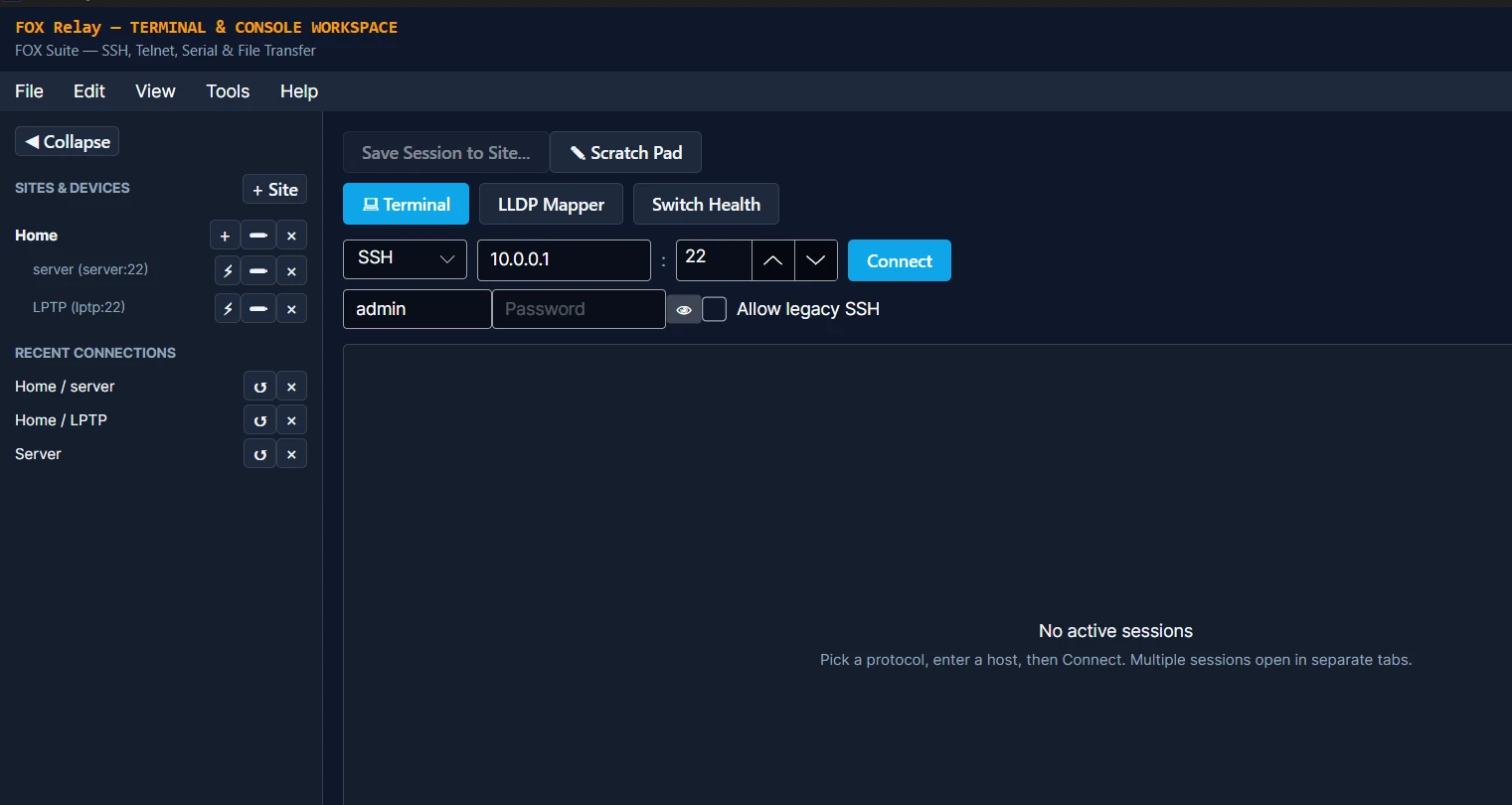
SSH, Telnet, Rlogin and serial. Modern equipment, obscure consoles and legacy switches: Terminal gives you connection options, with explicit opt-in for weak legacy SSH algorithms.
FOX Relay is becoming FOX Terminal
A familiar name is getting a fresh look — and a name that says what it does.
FOX Relay is being updated to look and feel more like AirWitness. We’re calling the next chapter FOX Terminal: your device sessions, saved sites, file transfers and network tools, together in one workspace.
Applications open · Windows, Linux and Apple Silicon macOS · Approval required; builds released separately
A workspace built around the job
01 / TERMINAL SESSIONS
SSH, Telnet, Rlogin and serial. Modern equipment, obscure consoles and legacy switches: Terminal gives you connection options, with explicit opt-in for weak legacy SSH algorithms.
02 / SITE CONTEXT
Saved sites, session logging and file transfers keep practical device work close at hand.
03 / FOCUSED PLUGINS
Use Plugin Manager to add tools for LLDP mapping, switch health and configuration workflows.
Legacy connectivity. Informed decisions.
We don't always get to choose what we're logging into. Sometimes it's the switch with twenty years of uptime and a very different idea of security.
Ancient, obscure, deprecated? We'll try to connect. Terminal offers legacy SSH compatibility alongside Telnet, Rlogin and serial access, so you have options when the equipment can't meet modern expectations.
Weak legacy SSH algorithms require explicit opt-in. Connection indicators explain the negotiated security level, from SSH with no flagged algorithms to broken cryptography and unencrypted network traffic. Compatibility does not make an unsafe connection safe.
SSH negotiated algorithms with no known practical break. This is a connection assessment, not a guarantee about the device.
SSH negotiated older algorithms with a reduced security margin. Worth upgrading when the device supports it.
SSH negotiated algorithms considered broken. Treat the connection as no more private than Telnet.
Network protocols such as Telnet expose session traffic, including credentials, to anyone able to observe the path.
Serial is a direct physical connection and is marked separately. Compatibility depends on the device, protocol and available transport; Terminal cannot guarantee access to every device.
You may have to use the old connection. You should always understand the risk.
Inside FOX Terminal
Real application screens from the Earlier FOX Relay Windows build; the Terminal beta is being refreshed. Select a screenshot to inspect it at full size.
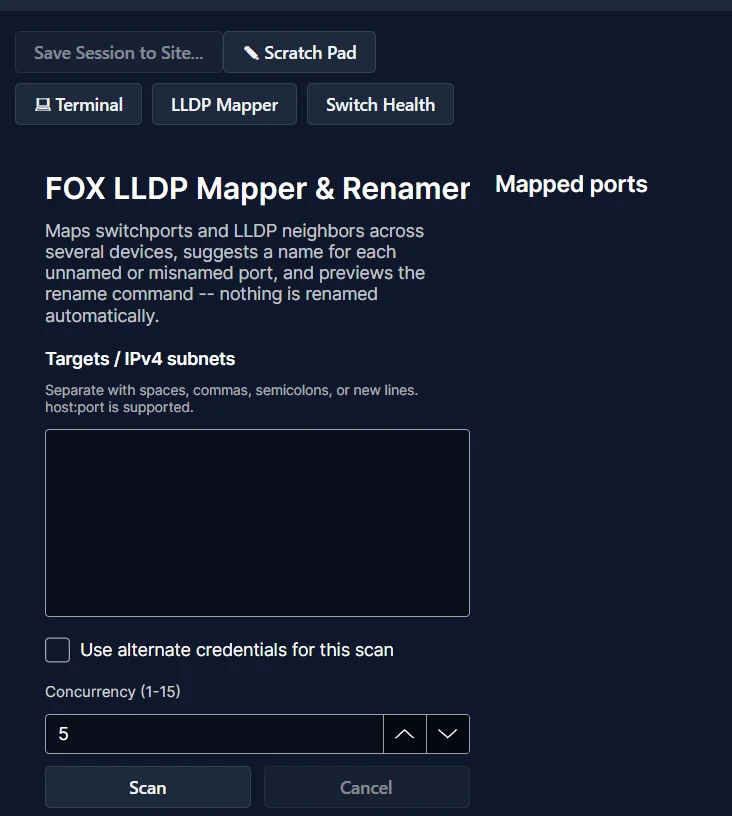
Map switchports and LLDP neighbors across supported devices. Review suggested port names and preview rename commands before deciding what to apply.
The screenshot shows the setup workspace. No device scan has been run, and ports are not renamed automatically.
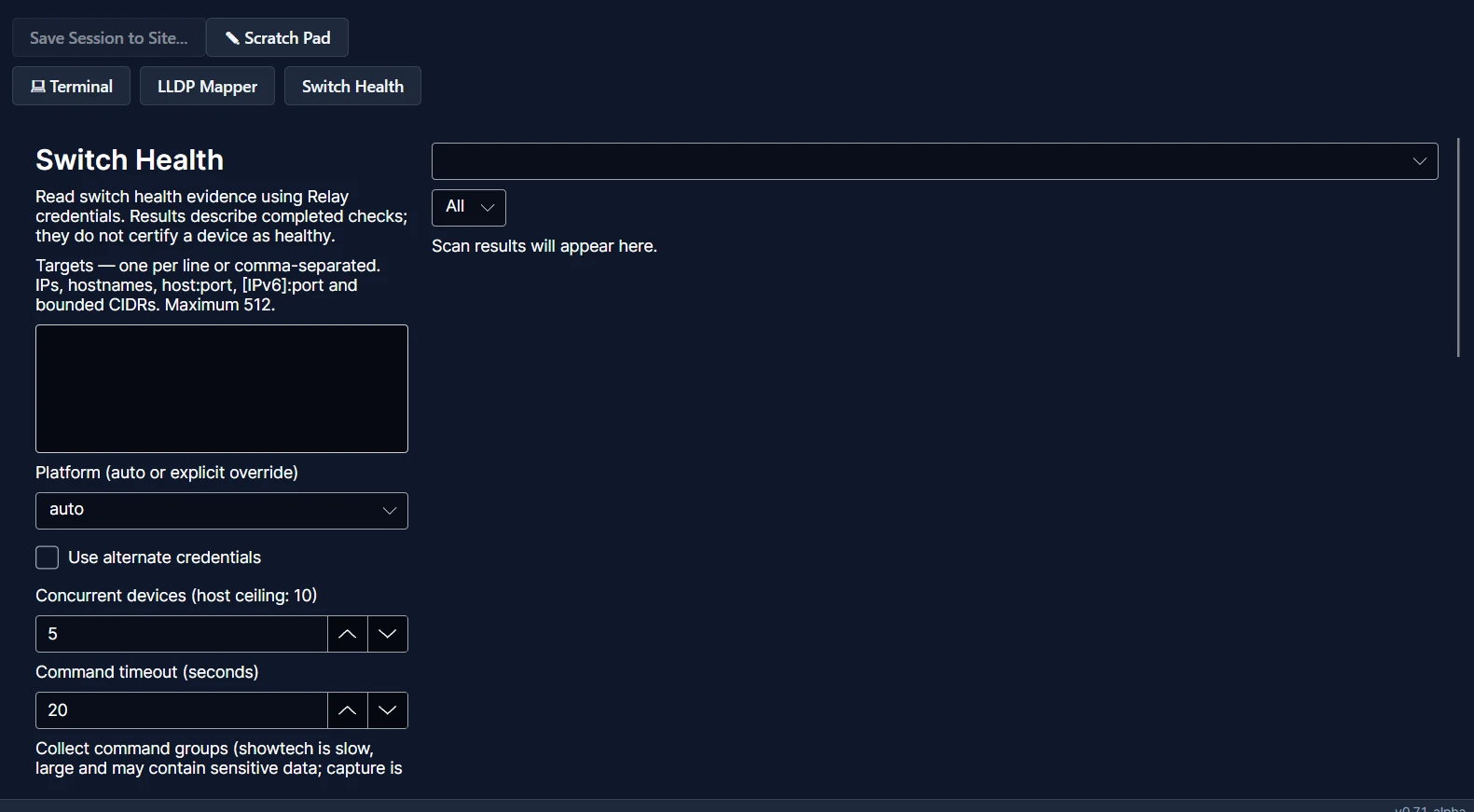
Choose targets, select a supported platform and control scan concurrency and command timeouts. Switch Health gathers evidence using Terminal credentials, with optional alternate credentials for the scan.
Results describe completed checks; they do not certify a device as healthy. Supported commands vary by platform.
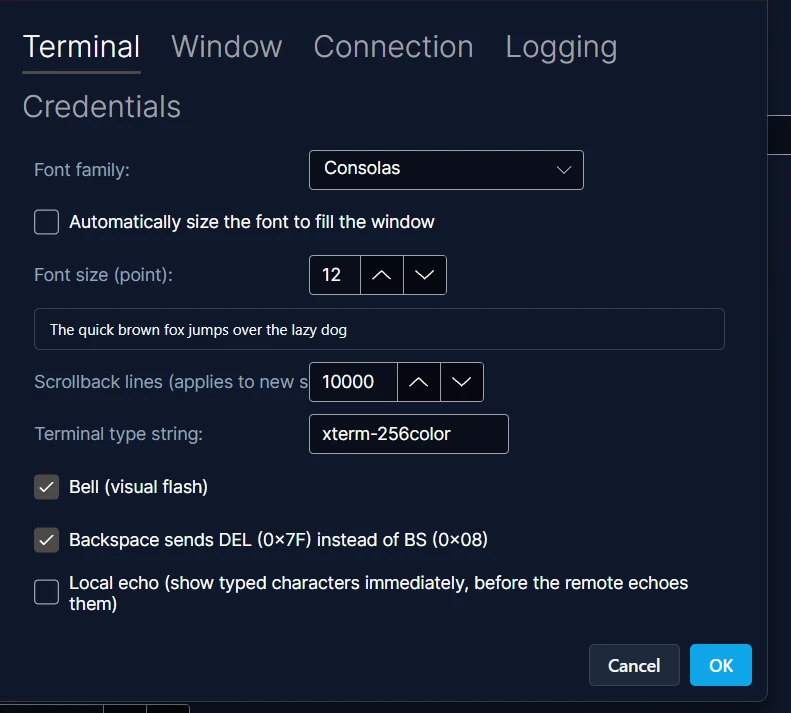
Adjust the terminal font, scrollback and keyboard behavior to suit your workflow. Keep familiar terminal preferences alongside your saved sites and tools.
Extend your workspace
Explore plugins for the network task in front of you. Device and command support depend on the individual plugin.
Explore network neighbors and links using LLDP evidence.
Bring supported switch diagnostics into your Terminal workflow.
Find and install functional plugins without unlock codes.
Two perspectives on the same job
Use AirWitness to investigate wireless conditions and the client experience. Use FOX Terminal when the next step takes you into a device session or a network plugin.
See AirWitness in action →A few useful answers
FOX Terminal beta applications are open for Windows x64, Linux x64 and Apple Silicon macOS. Each platform is approved separately, and build availability depends on testing. Android is not currently offered for FOX Terminal.
The Terminal workspace supports SSH, Telnet, Rlogin and serial terminal sessions. Device access requires network reachability, appropriate connection hardware where needed and authorized credentials.
Terminal offers explicitly enabled legacy SSH algorithms as well as Telnet, Rlogin and serial connections. Security indicators distinguish modern SSH, legacy algorithms, broken cryptography and unencrypted traffic. Device and transport compatibility still apply; support is an attempt to reach older equipment, not a guarantee of access or security.
Not everything—at least, not yet. If your kit isn’t covered, send me a sanitized show tech and a detailed CLI guide for your equipment, and I’ll see where I can squeeze it in.
AirWitness and the FOX family of products are made with you in mind. If something doesn’t quite fit the way you work, let’s chat.
Apply through the beta program and choose FOX Terminal for the platforms you use. Verify your email; Tom reviews applications individually. Approved testers accept the beta agreement and receive a separate FOX Terminal license through their account. Applying does not guarantee approval or an immediately available build.
Already an AirWitness tester? Use Request beta access in your beta account to request FOX Terminal. Earlier FOX Relay licenses do not unlock the new Terminal beta. Versions start at 0.1.0-prbw.1, 0.1.0-prbm.1 and 0.1.0-prbl.1 for Windows, macOS and Linux; these examples describe the naming scheme, not build availability.
Talk to the person building it
Wondering whether FOX Terminal fits your workflow? Tell Tom what you’re trying to solve.
No account needed. You can also email admin@airwitness.net.