Observe
Start with the connected network. Move through the site and watch how signal readings change.
AirWitness for Android · Private beta
Walk to the spot where the Wi-Fi fails. Watch the signal, investigate the connection and bring back evidence you can explain.
AirWitness brings Wi-Fi troubleshooting to Android, with a touch-friendly workspace for walking tests, guided diagnostics and project notes.
Real screenshots from the Android app running on a tablet. No simulated results.
From the problem spot to the handoff
Four main destinations keep the job close: Now for the current connection, Walk for moving through a site, Evidence for the case, and Tools for deeper checks.
Start with the connected network. Move through the site and watch how signal readings change.
Choose a workflow that matches the complaint and review its findings and live output.
Save the walk, collect notes and attachments, and export a copy for the next person.
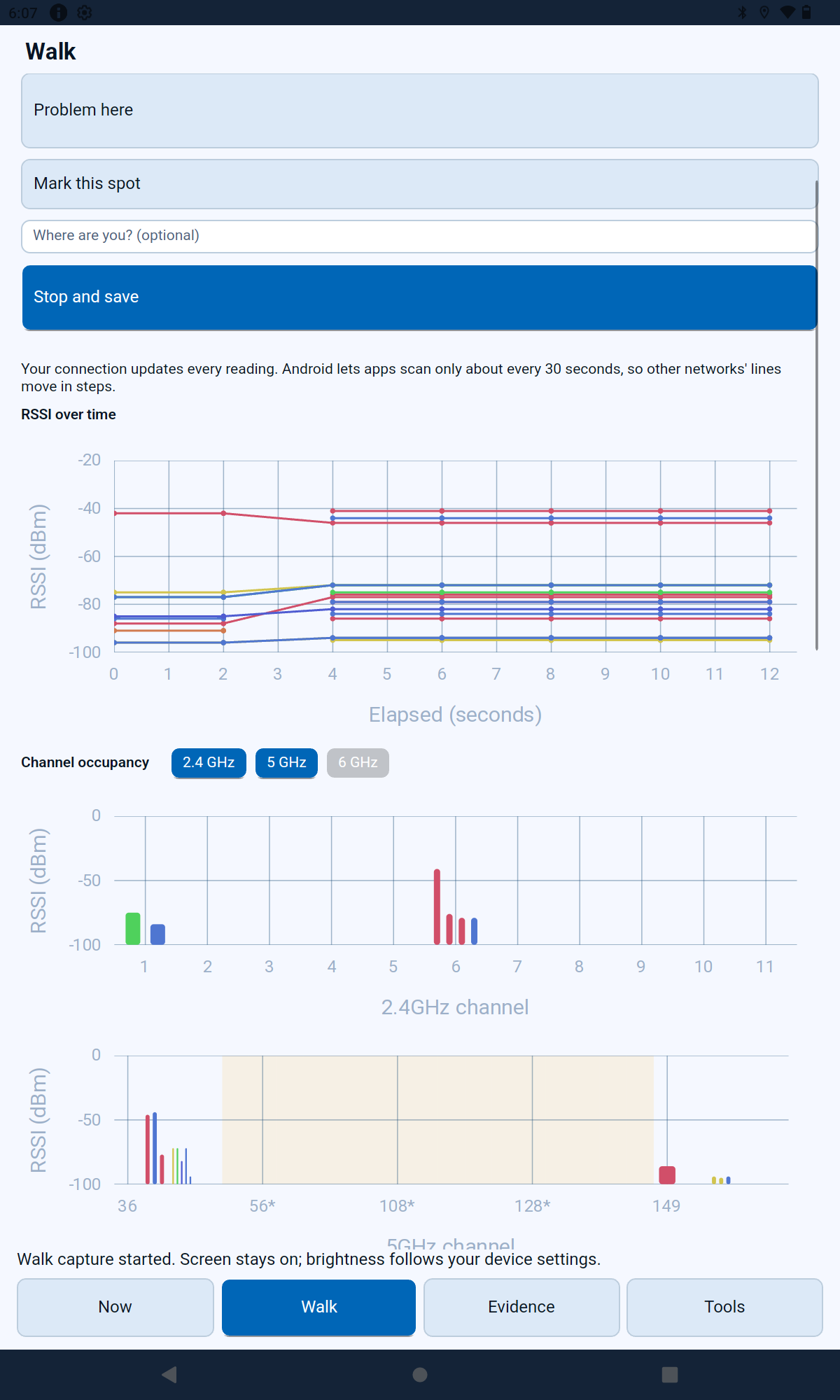
Use Problem here or Mark this spot to add context as you walk. Follow RSSI over time and compare it with the channel occupancy view.
The screen shows the connected signal alongside nearby networks. Band availability depends on the device and what Android exposes.
Android limits nearby-network scanning, so those traces can update in steps. A signal observation and a connectivity test answer different questions.
Choose from User Experience Test, Slow or Unstable Network, Captive Portal Failure, DNS & Name Resolution Health, and VPN / Tunnel Path MTU.
Each workflow explains its questions and evidence goals. Review live output, severity-ranked findings and per-target verdicts on the connected network.
Configure test destinations under Settings → Workflow targets.
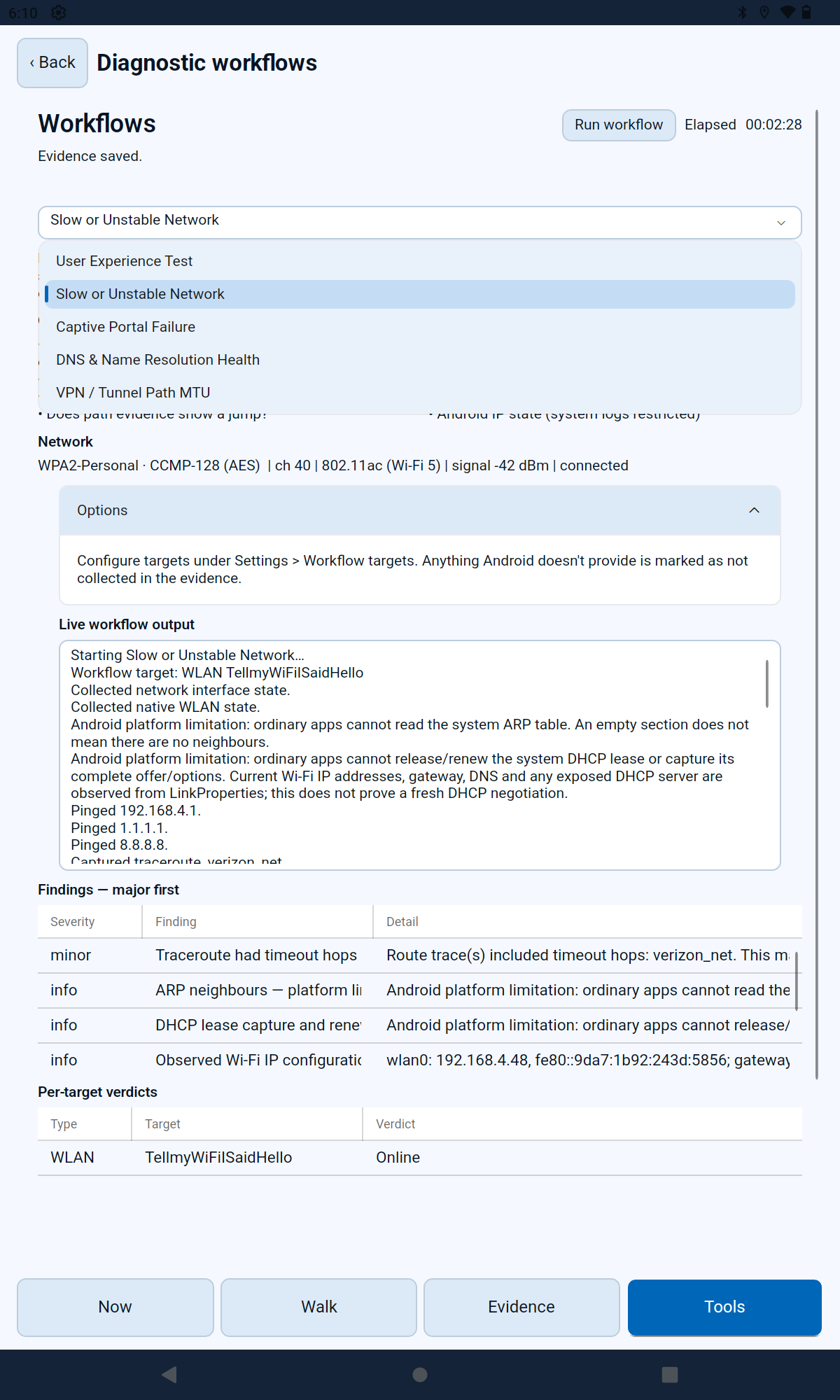
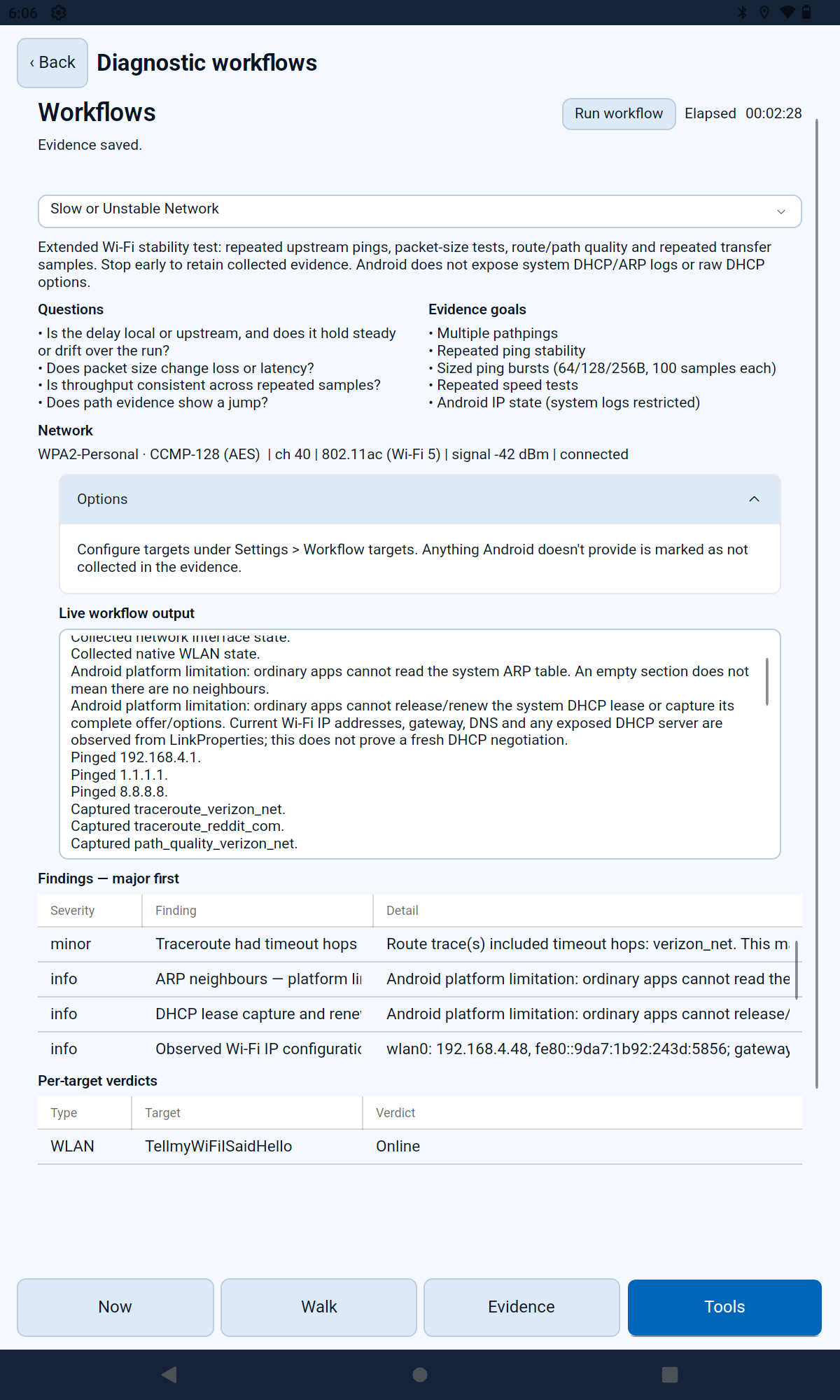
A workflow can collect native Wi-Fi state and run network-path checks, while explaining which information Android cannot provide.
The example shows a completed slow-network investigation, including traceroute timeouts and the connected network’s verdict. These are results from this run, rather than a promise about another network.
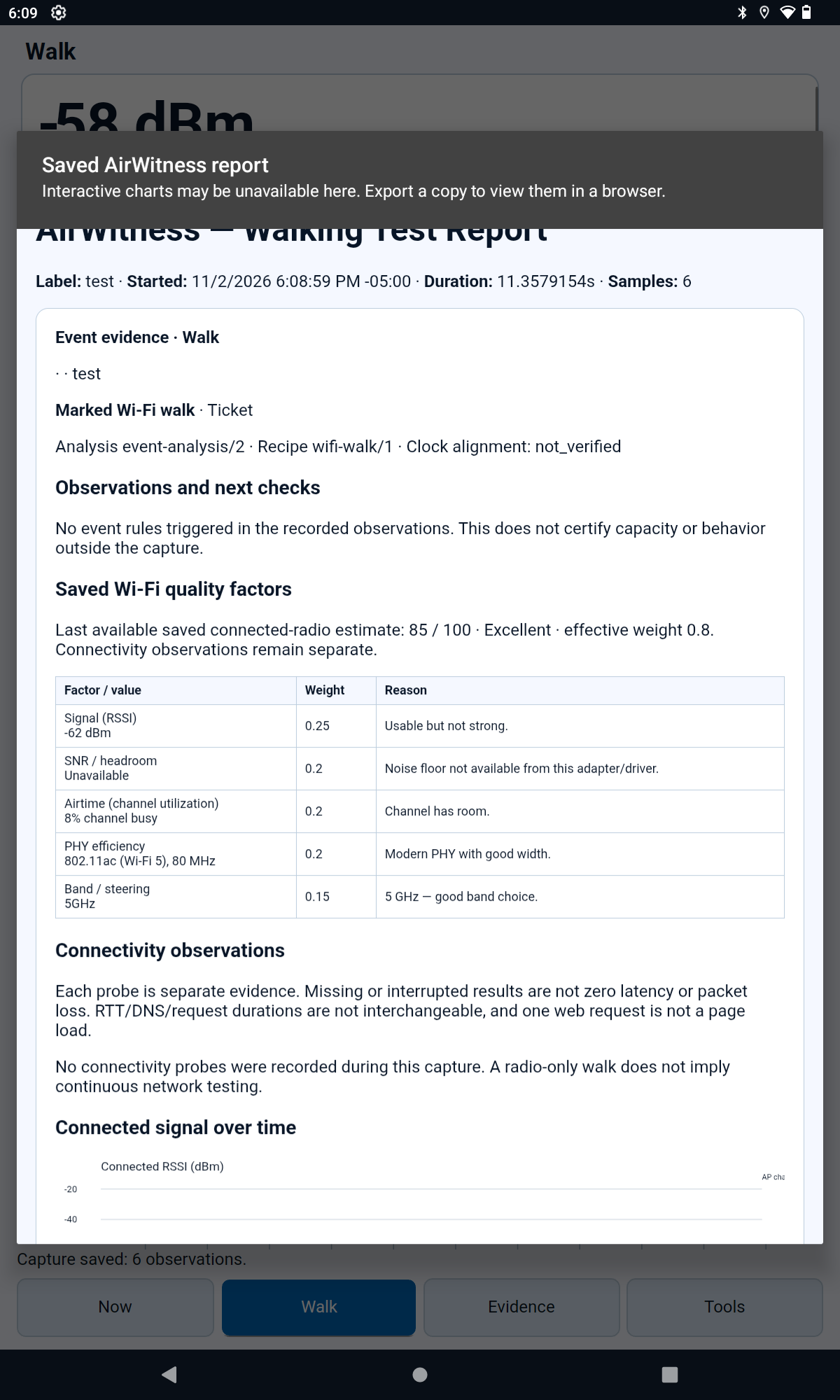
Open a saved walking test report to review the recorded session, observations and available Wi-Fi quality factors.
The report distinguishes radio observations from connectivity probes and calls out unavailable measurements. Export a copy to view it in a browser; interactive charts may be unavailable in the in-app viewer.
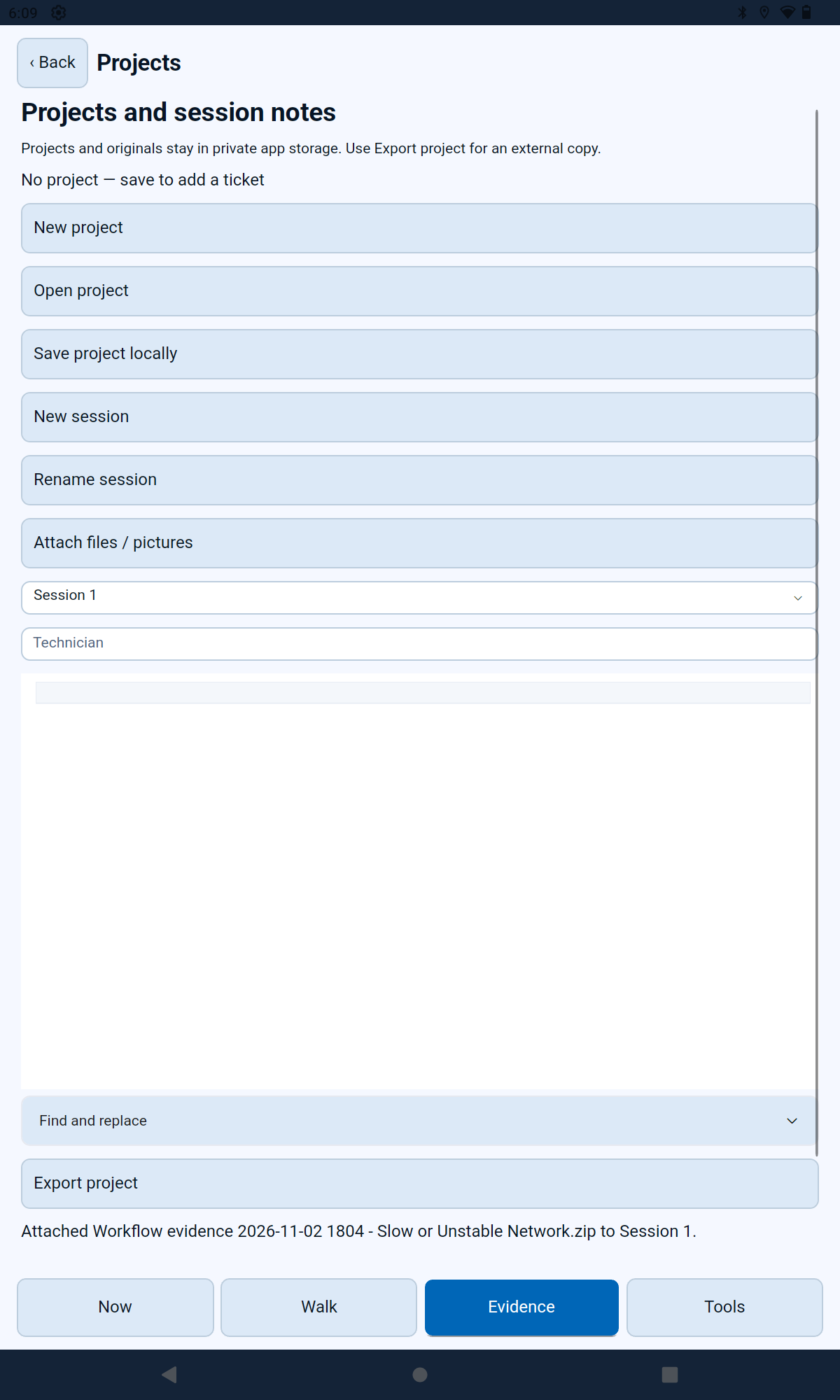
Organize work into projects and sessions. Add technician notes, attach files or pictures, and keep diagnostic evidence with the investigation.
Projects and originals stay in private app storage. Use Export project when you need an external copy.
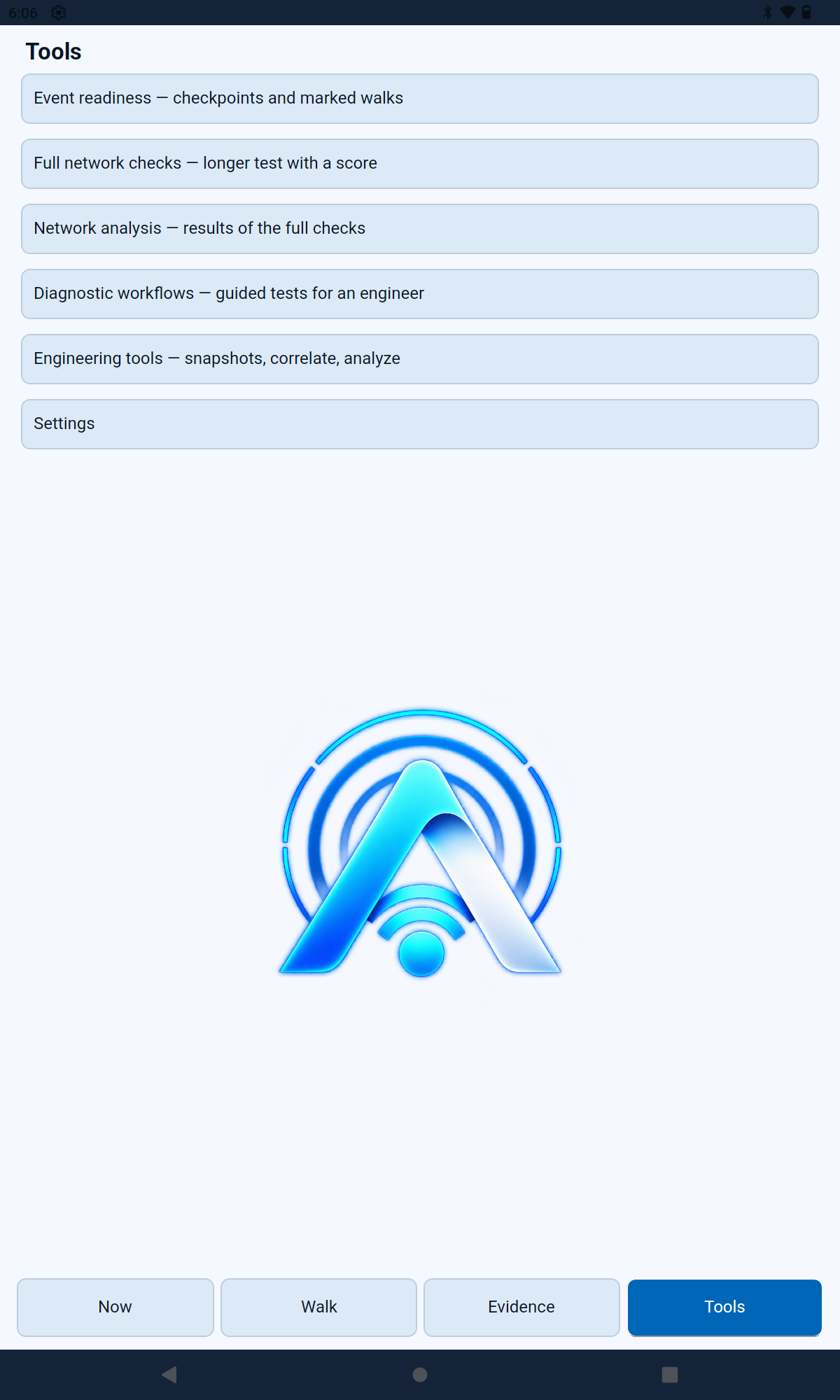
The Tools screen provides access to event readiness, full network checks and their analysis, guided diagnostic workflows, and engineering tools for snapshots, correlation and analysis.
Settings keeps test targets and app configuration close to the investigation.
Built for Android’s capabilities
AirWitness records available evidence and identifies platform limits so missing data does not become a false conclusion.
The current Android beta targets Android 12 or later on ARM64 devices. Wi-Fi visibility depends on hardware, Android permissions and location services. These screenshots were taken on an Android tablet.
Android controls scan frequency and which Wi-Fi details apps can read. Nearby-network charts may update less often than the connected signal; bands and readings vary by device.
The Android app does not offer desktop packet capture or monitor mode. Ordinary Android apps cannot read the complete system ARP table or release and renew the system DHCP lease; workflows label these limits.
Private beta access and a valid license are required. Use your approved account for downloads and installation instructions.